Young adults who've been there. Teens who need someone who gets it.
TeenSide certifies young adults — people who recently lived through the hardest parts of adolescence and can still truly relate — as coaches. Then it connects them with teens through their parents. Coaches earn $40 a session. Families get someone their teen will actually talk to. And the platform gives everyone the infrastructure to make it work professionally, safely, and at scale.
Admin — Running the Business
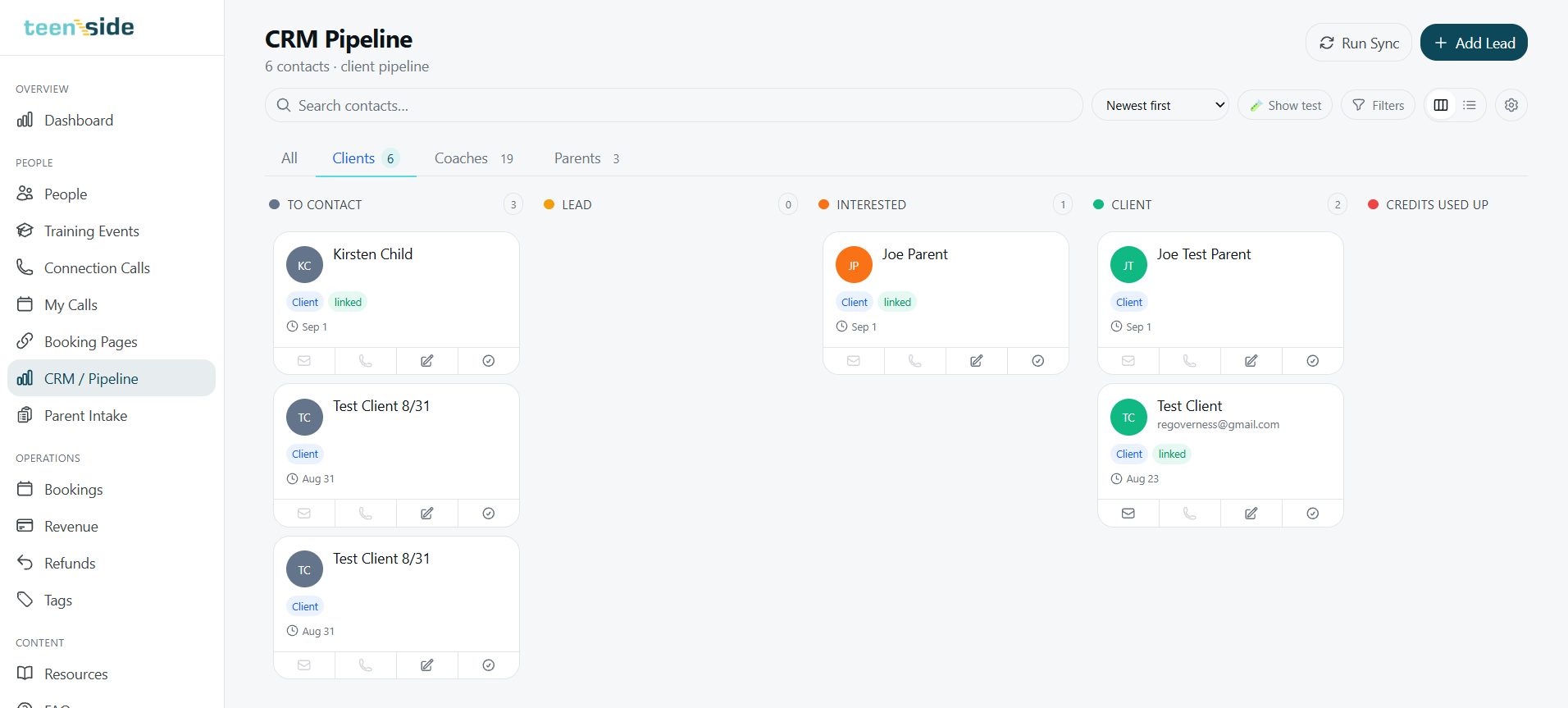
Every contact, every stage, every touchpoint — auto-tracked.
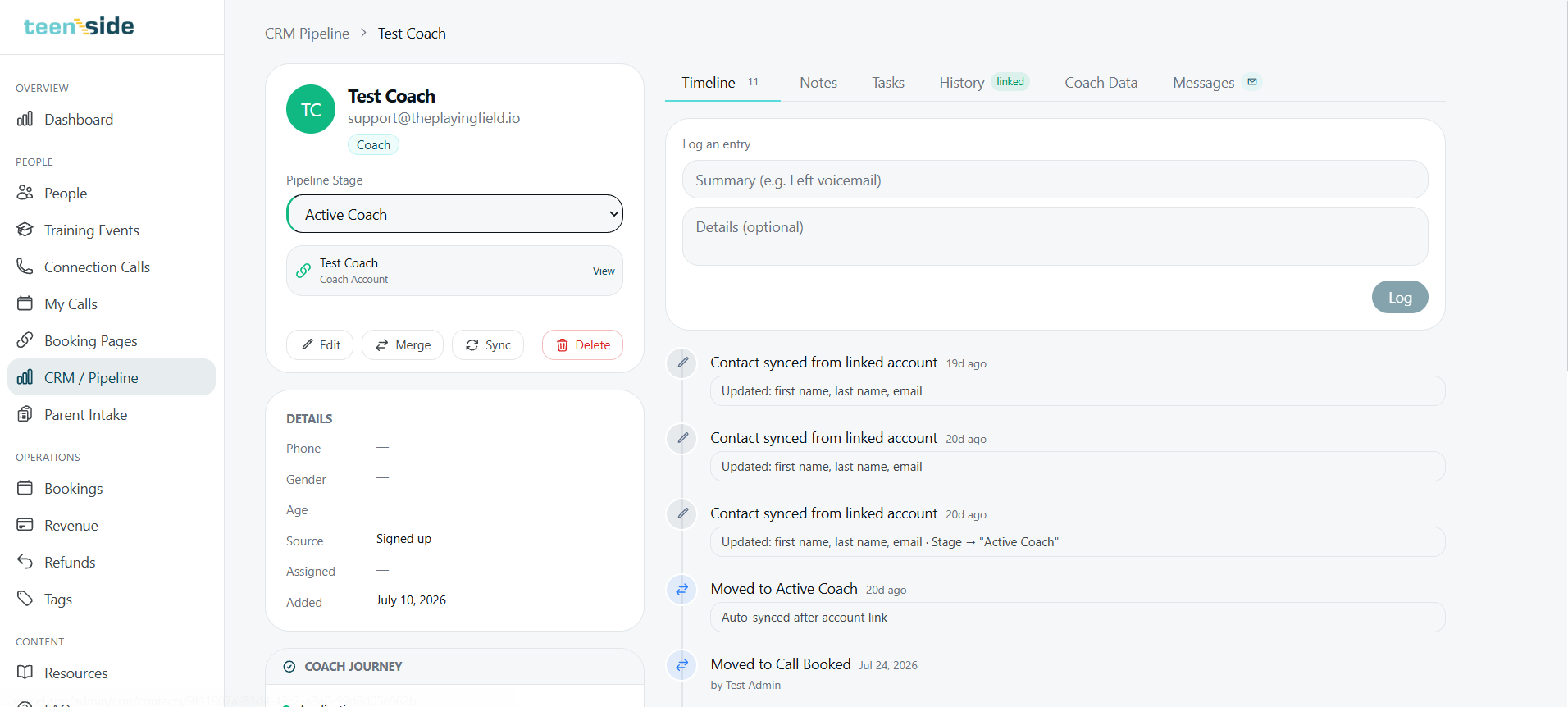
The admin CRM is a Kanban-style pipeline with separate boards for clients, coaches, and parents. Every contact moves through stages: To Contact → Lead → Interested → Client → Credits Used Up. The system auto-syncs every meaningful action in the app — when a coach links their account, when a parent books, when someone emails — and updates the pipeline without anyone lifting a finger.
Open any person's record and you see a full timeline: every stage change, every auto-sync, every note. Nothing gets lost. No one falls through.
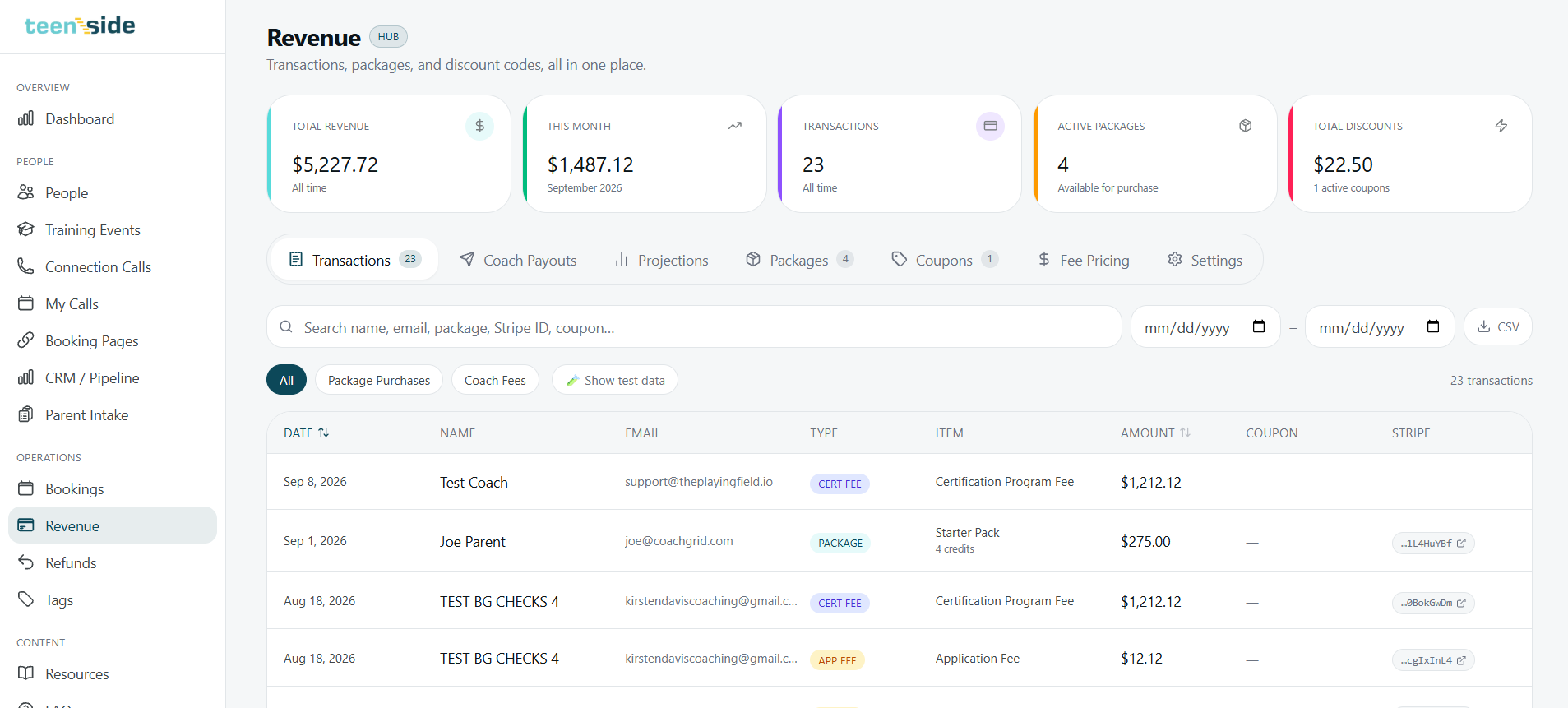
One revenue hub. Every transaction, package, and payout visible.
The Revenue Hub shows total all-time revenue, this month's numbers, and every transaction — package purchases, certification fees, application fees — with Stripe IDs linked and exportable to CSV. Admin can manage packages, create coupon codes, adjust fee pricing, and run projections.
Beyond revenue, admin gets the operational infrastructure most platforms charge extra for — or don't offer at all:
- ✓Unlimited email mailboxes at no extra cost — every coach gets a real @teenside email address
- ✓Automated coach onboarding — background checks trigger at the right stage, document signing flows automatically
- ✓Waivers, agreements, and policies go out and get tracked without manual follow-up
- ✓Resource builder — publish articles, PDFs, audio, and videos into the platform for coaches, parents, and teens
Coach — Certified, Matched, and Earning
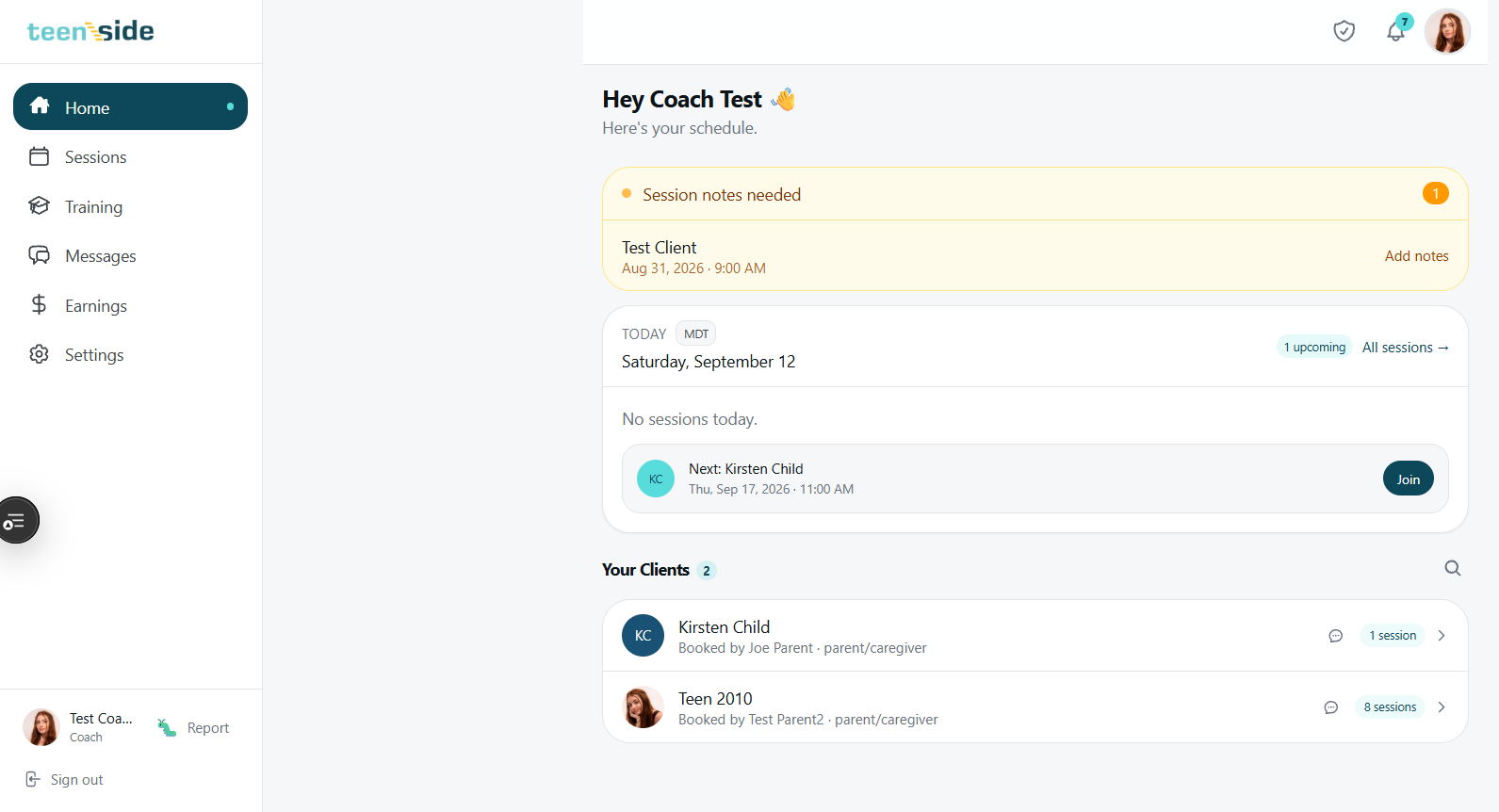
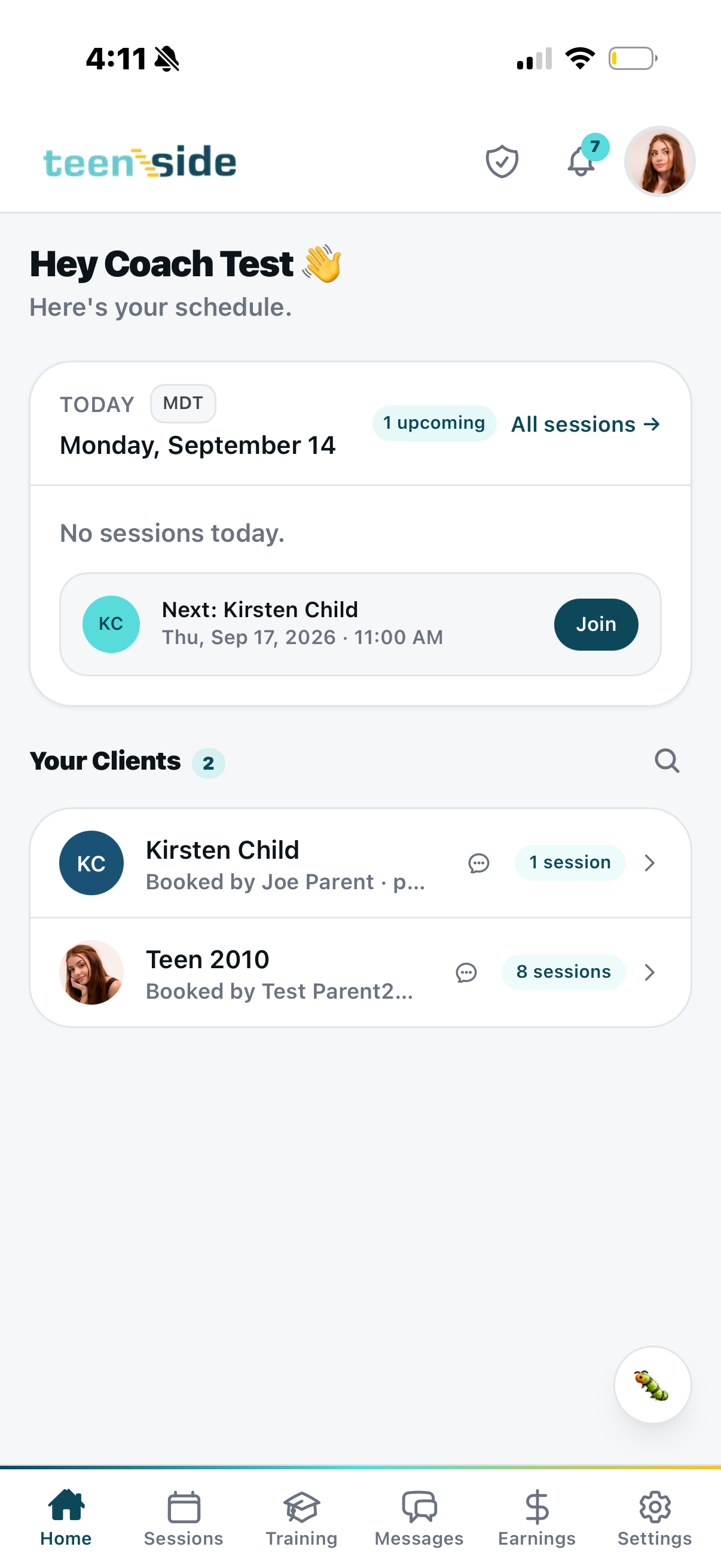
A coach logs in to their schedule. Everything they need is there.
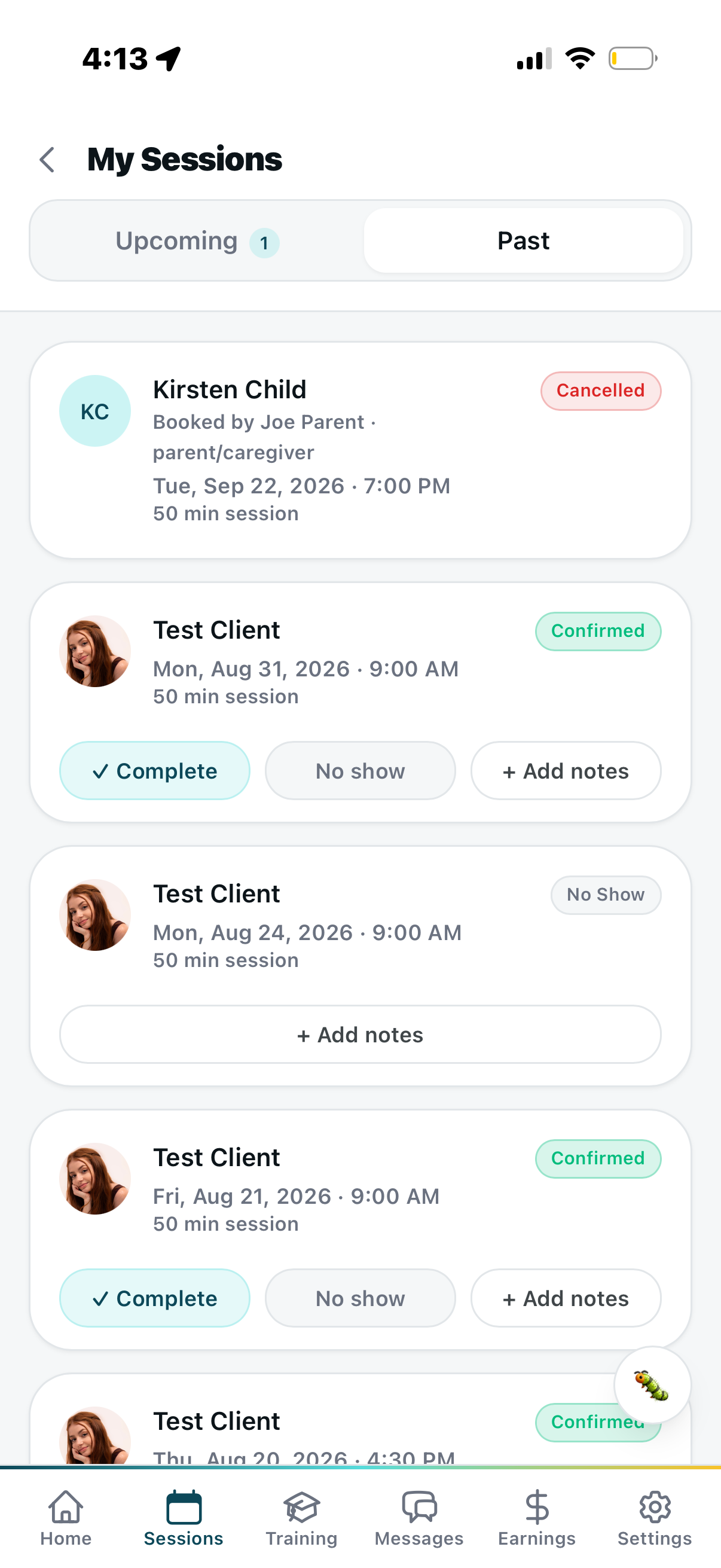
Session notes needed? There's an alert waiting. Next upcoming session? One tap to join. Client list right on the home screen with message counts and session history. The dashboard is clean, professional, and works on both desktop and mobile — because these are young adults with lives, not office workers at a desk.
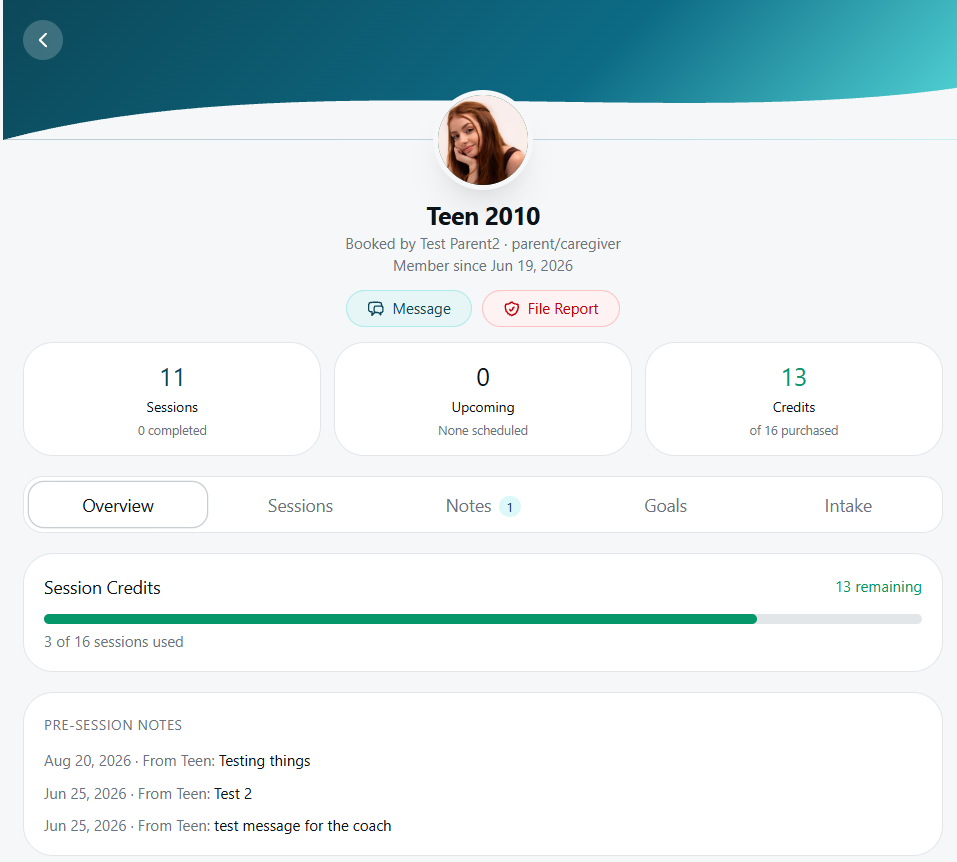
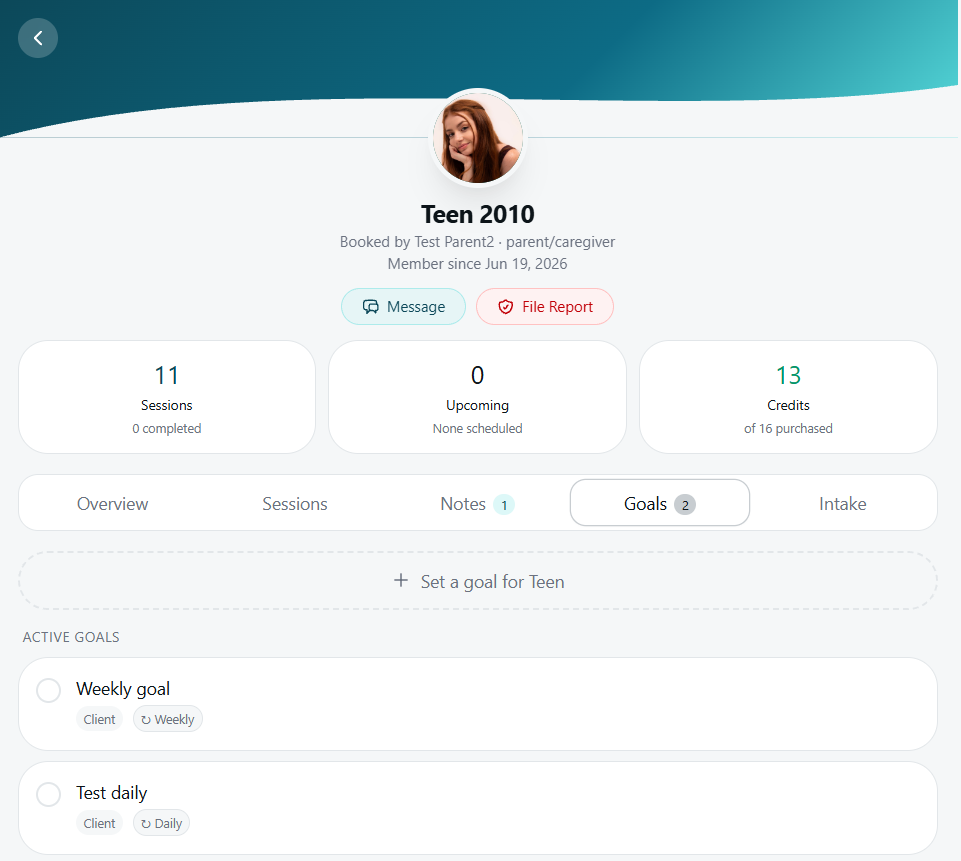
Open a client. See the full picture — sessions, credits, notes, goals.
Every client has a full record with tabbed views: Overview, Sessions, Notes, Goals, and Intake. Session credits show exactly how many were purchased and how many remain. Pre-session notes the teen sent before their call are visible before the coach ever picks up. Goals are set per client — weekly or daily recurring — so both parties stay anchored to why they're doing the work.
Availability set once. Communication standards on display. Safety built in.
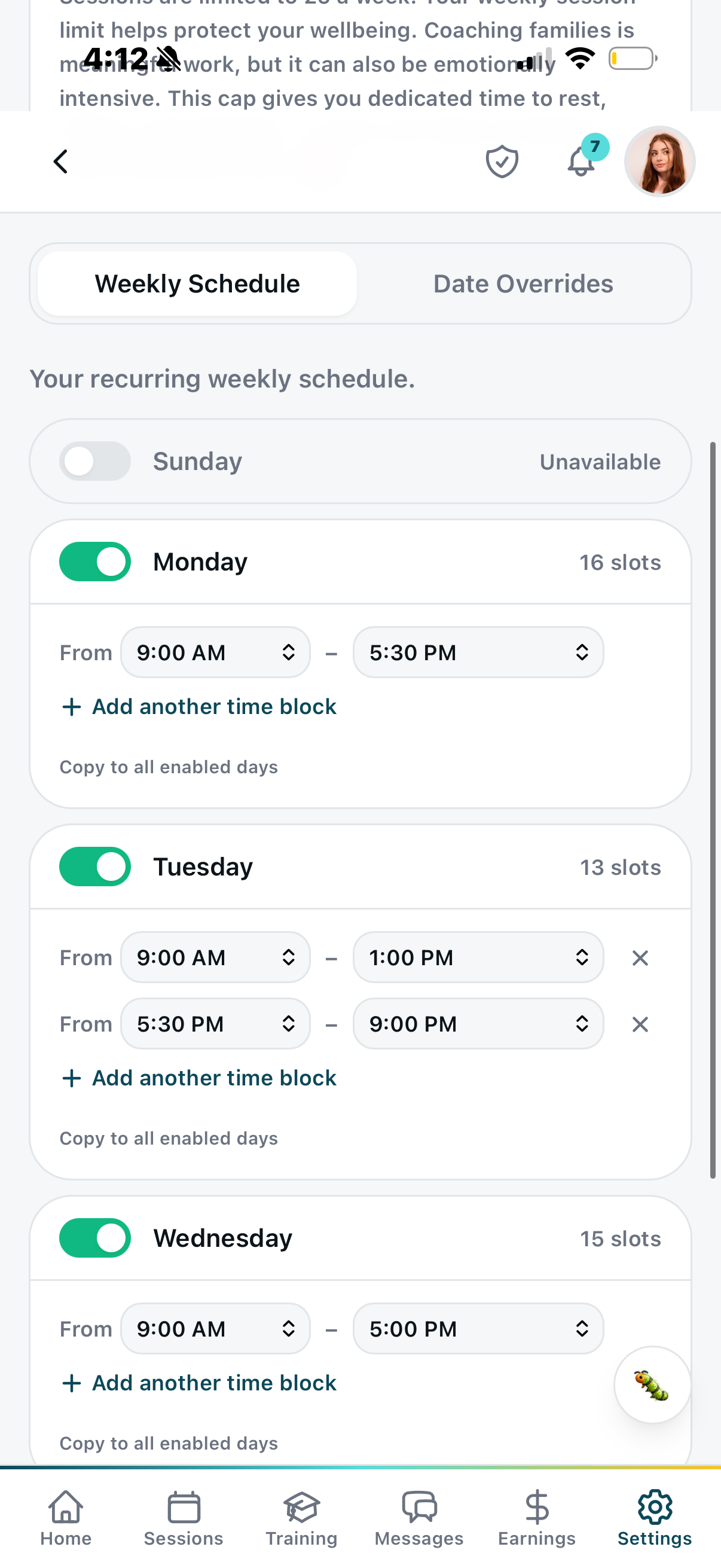
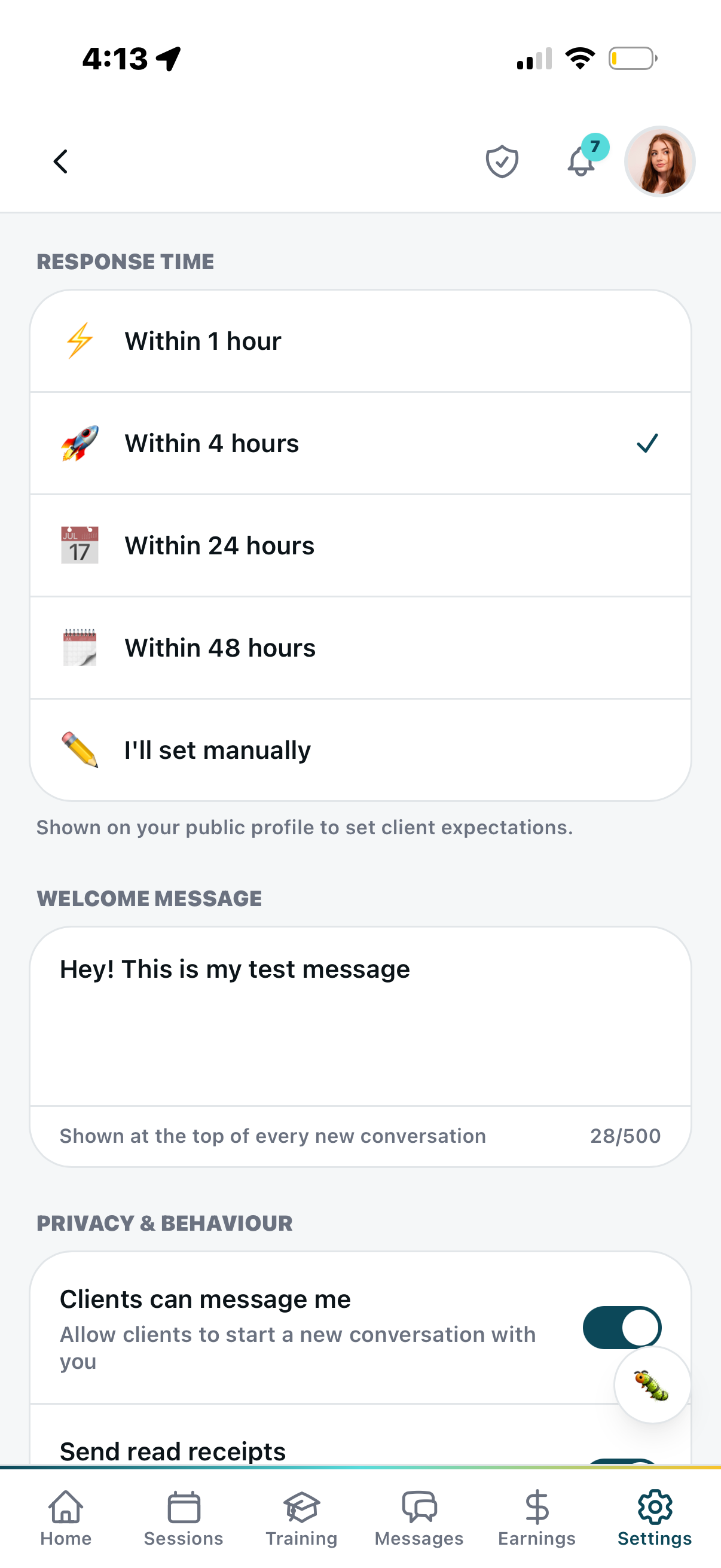
Coaches set recurring weekly availability with multiple time blocks per day and date overrides. Their open slots are the slots families can book — no back-and-forth. They also set a communication baseline: within 1 hour, 4 hours, 24 hours, or 48 hours. That commitment shows publicly on their profile so parents know exactly what to expect.
A custom welcome message auto-populates at the top of every new client conversation. And because these coaches are young adults working with vulnerable minors, a safety report button is visible on every screen — safety architecture built in, not bolted on.
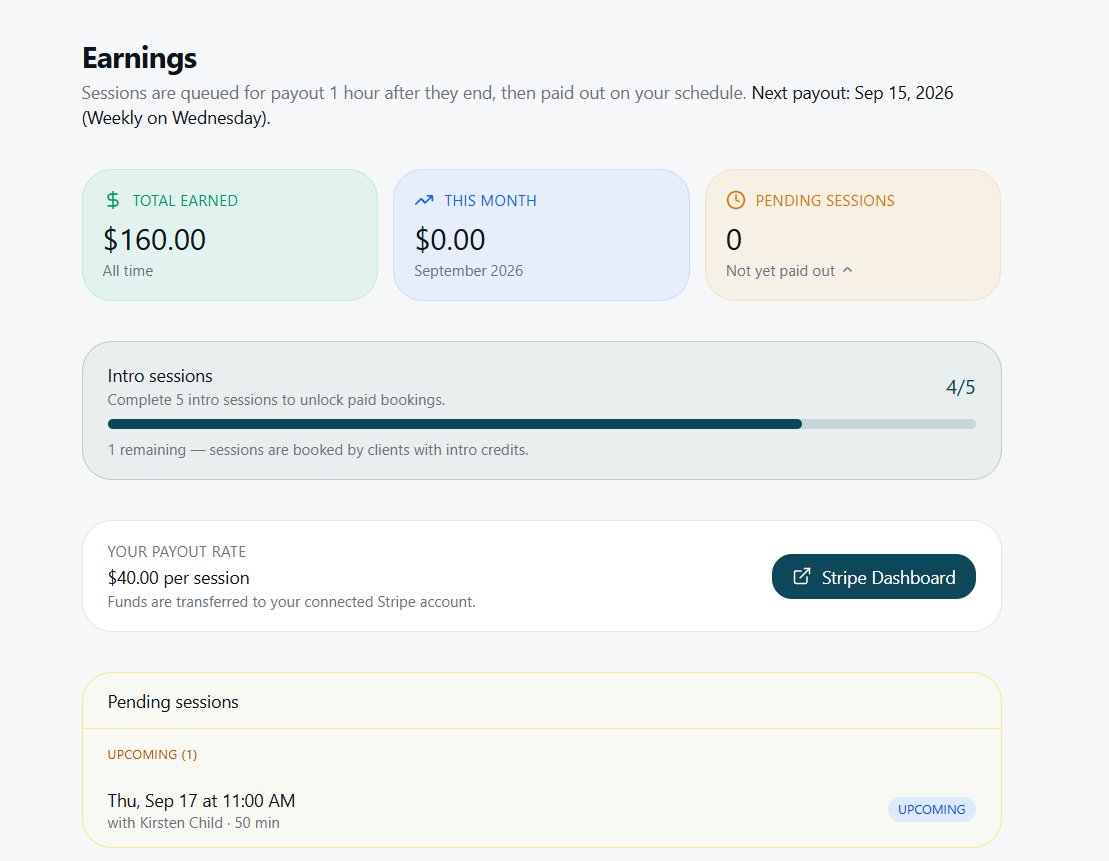
$40 a session. Paid automatically. On their schedule.
Sessions are queued for payout one hour after they end and released on the coach's chosen schedule — weekly by default. Funds transfer automatically to their connected Stripe account. No invoicing. No chasing. No waiting for someone to process payroll.
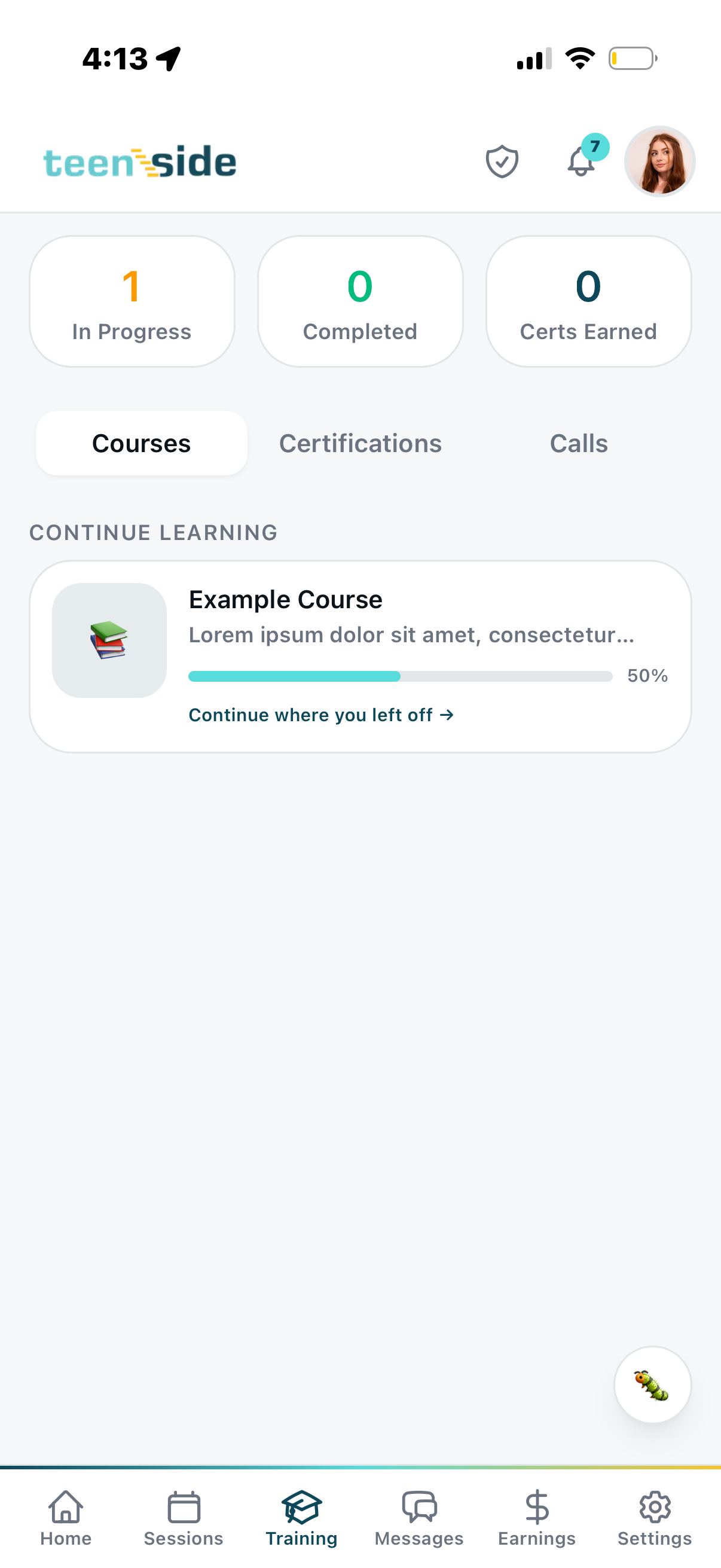
New coaches go through an intro session gate — they complete 5 intro sessions before paid bookings unlock. The gate protects quality. By the time a coach has paying clients, they've already proven they can show up. Training — courses, certifications, and live calls — all lives in the same app coaches open every day.
Parent — The Swipe That Changes Everything
They're not browsing a directory. They're finding a person.
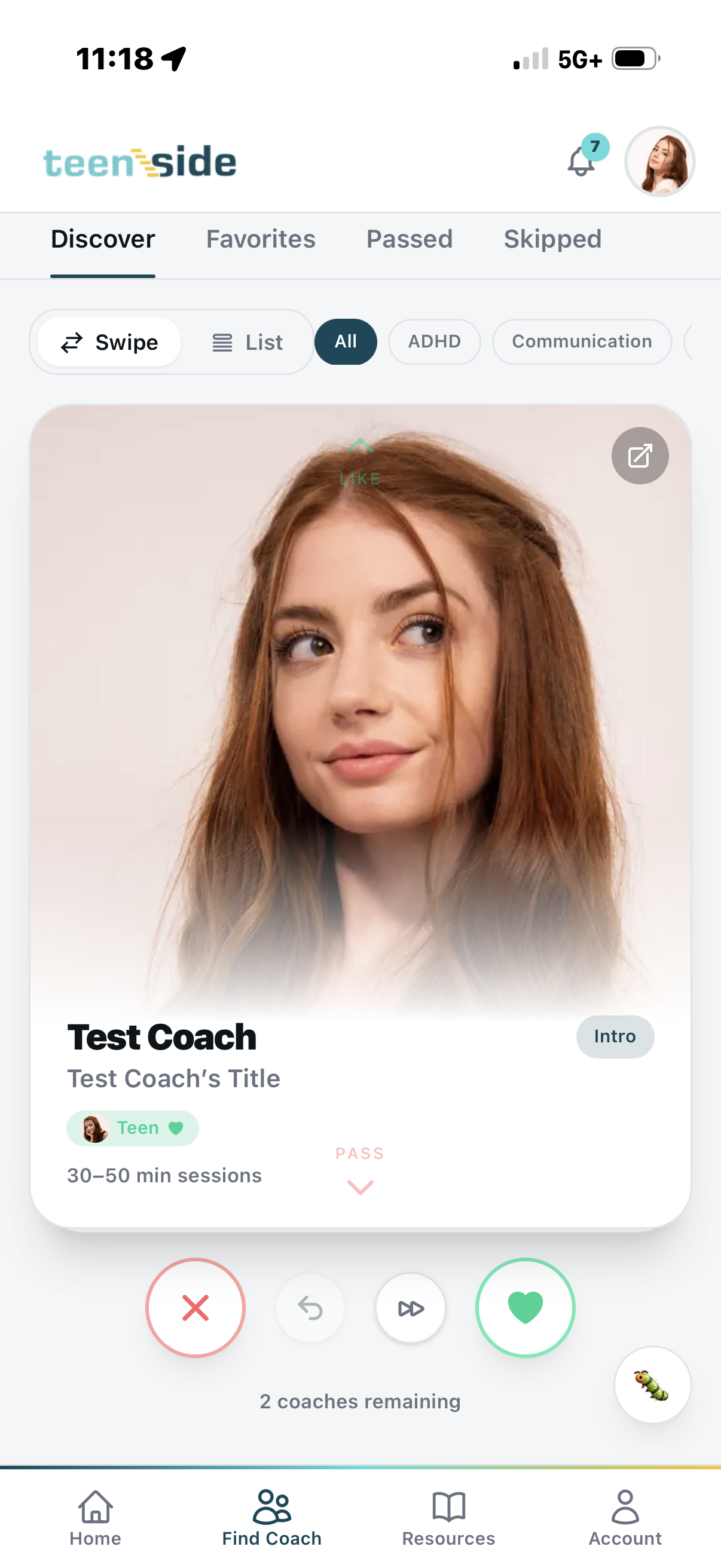
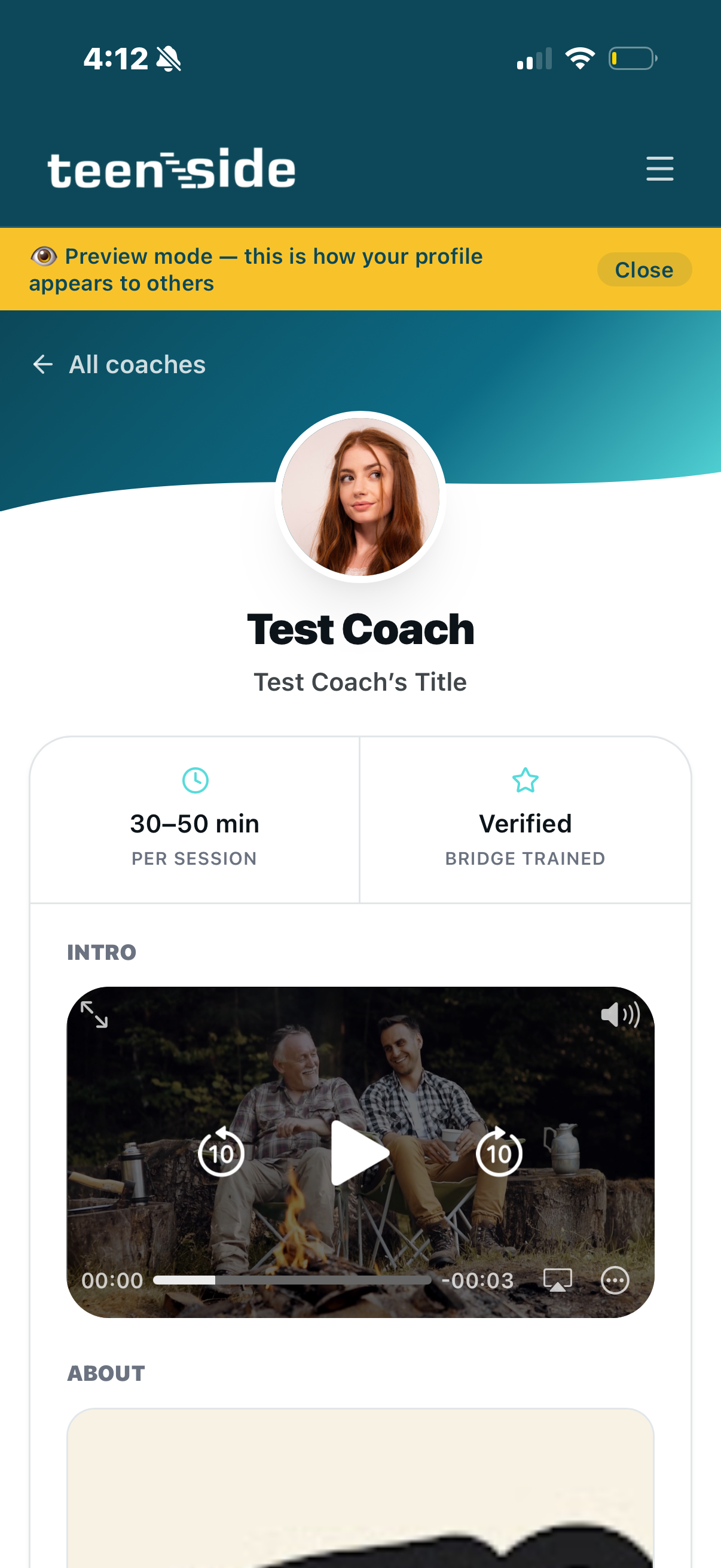
The coach discovery experience is a swipe interface — deliberately inspired by the format teens and parents already know how to use. Each card shows the coach's photo, name, title, session length, and intro video. Filter by specialty — ADHD, Communication, Anxiety, Self-Esteem, and more. Swipe right to favorite. Swipe left to pass. Come back to saved coaches. Reconsider the ones you skipped.
It's not a database with dropdowns. It's a deliberate design choice: finding the right coach should feel human. Parents take their time. Teens get matched with someone they actually trust.
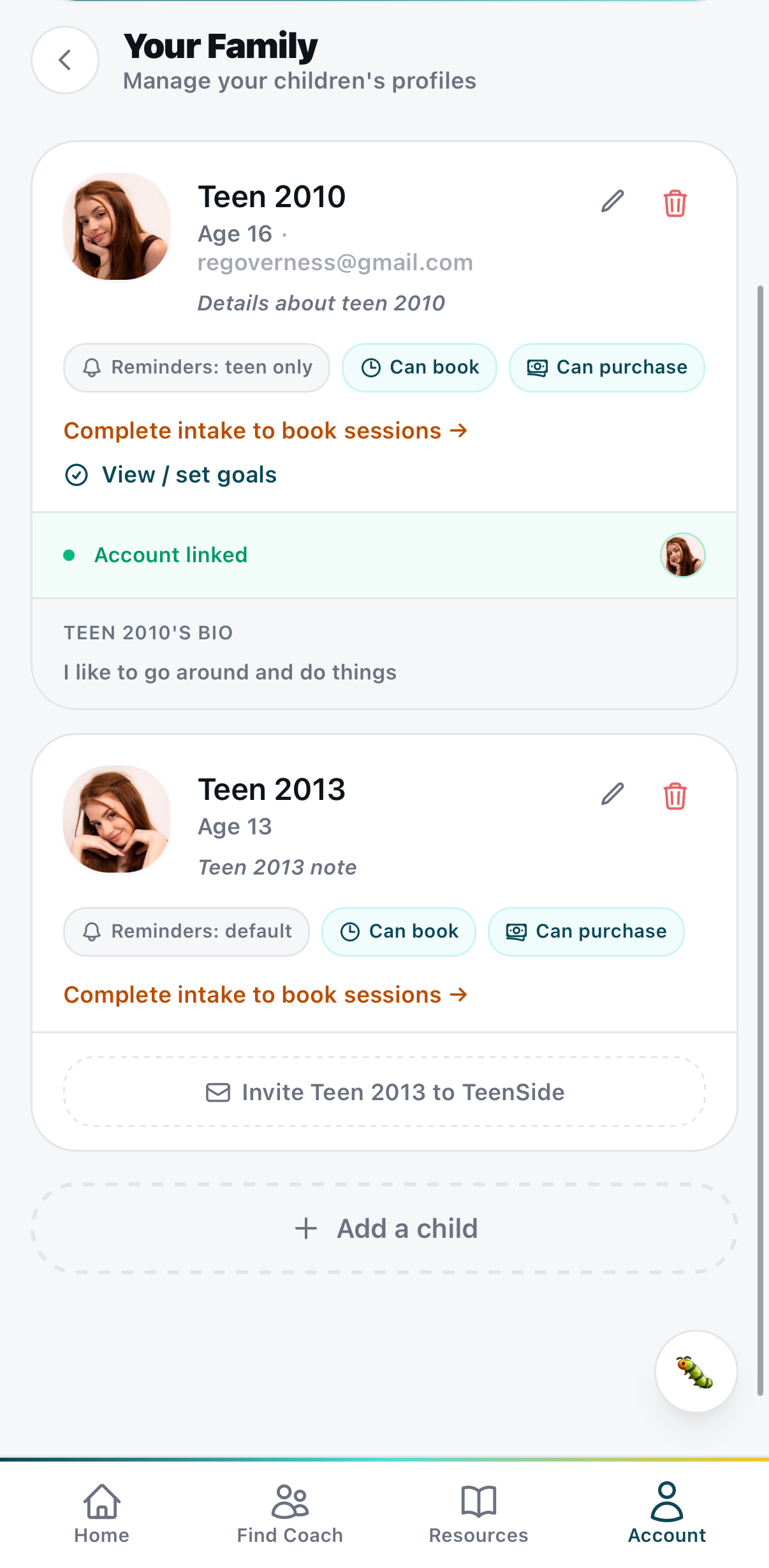
The whole family, managed in one place.
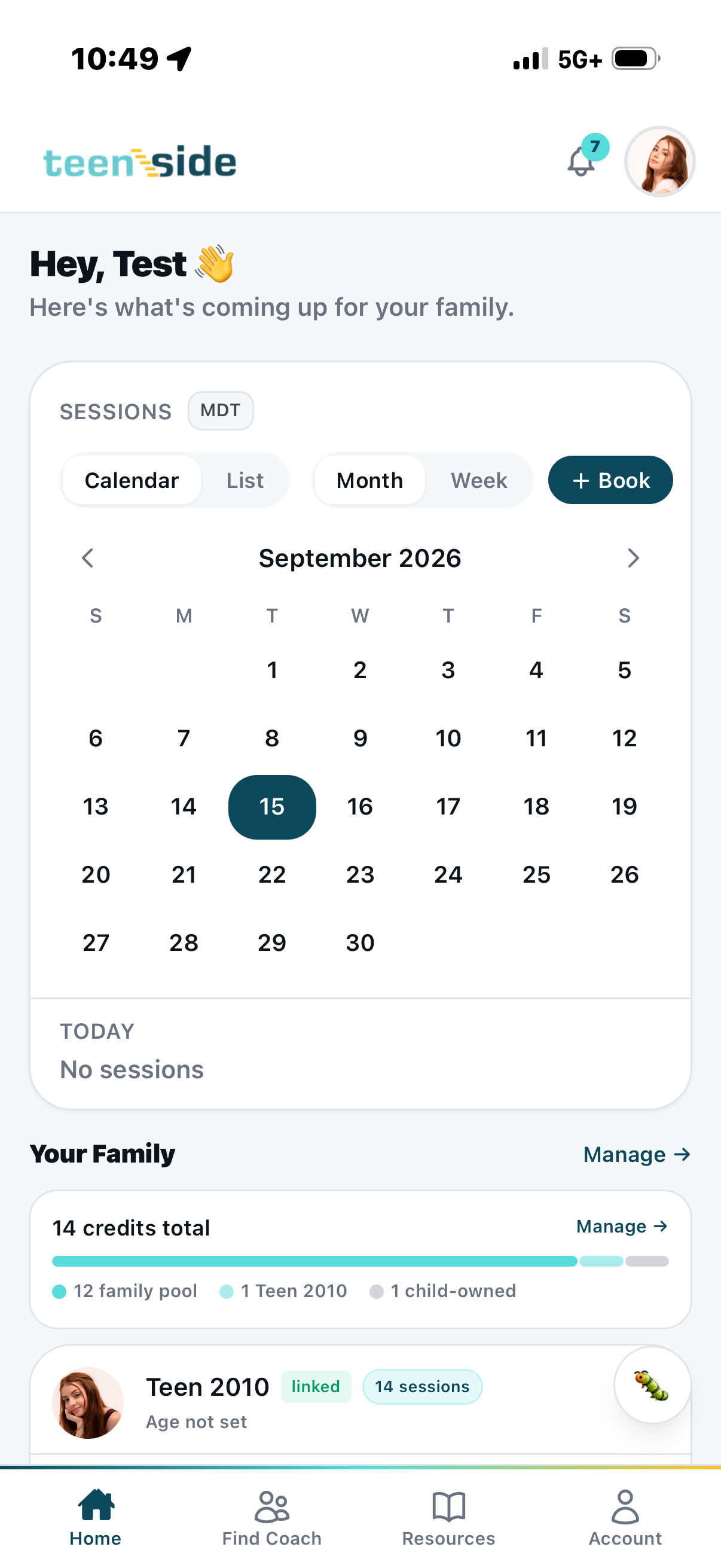
The parent home shows the family's session calendar, total credit balance, and every child's profile in one view. A family credit pool can be allocated across multiple children — or each child can have their own credits. Parents set permissions per child: who can book independently, who needs parent approval, whether reminders go to the teen or the parent.
Teens are invited via email to link their own account. Once linked, they have their own experience inside the same platform — their sessions, their pre-session notes to the coach, their resources. Parent and teen, connected but independent.
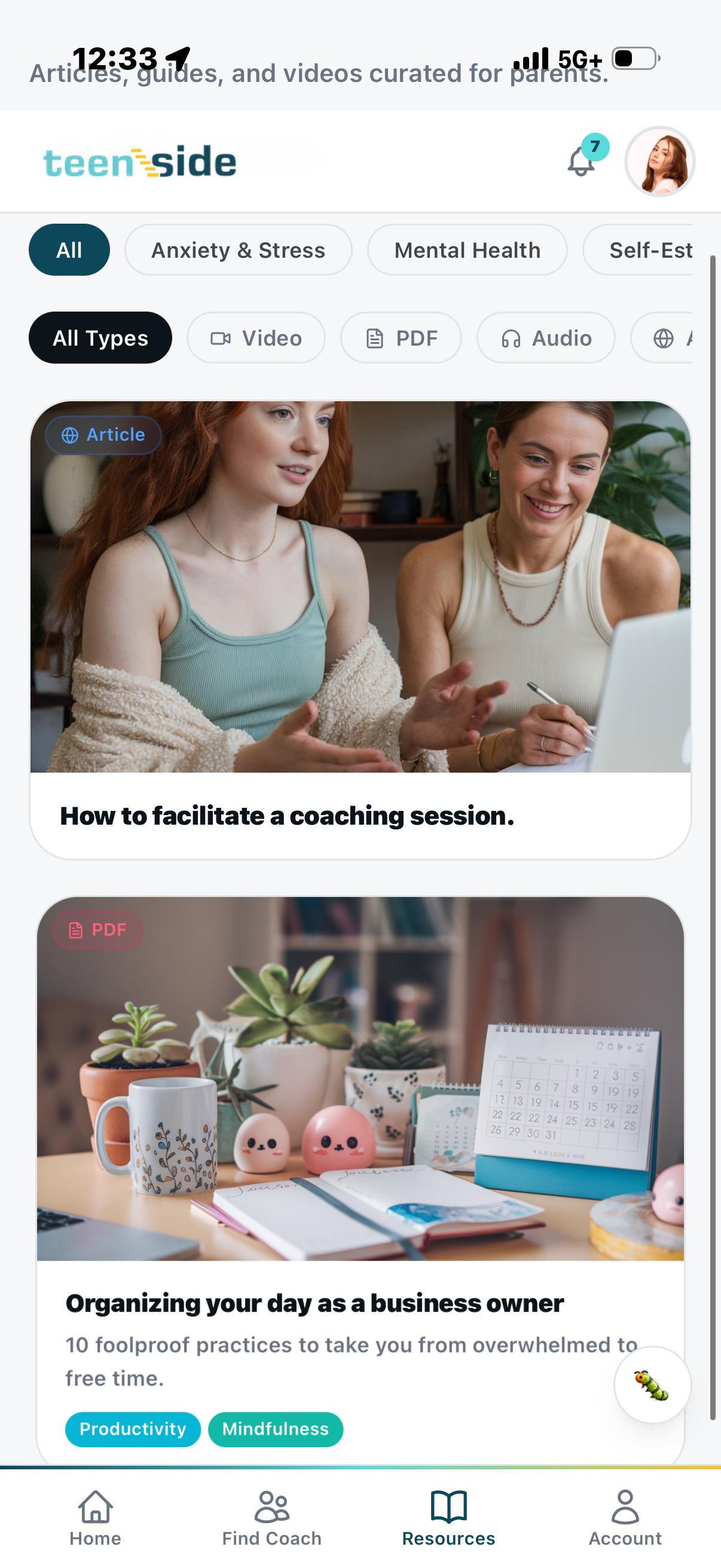
A resource library for parents and teens — built into the app they already use.
Parents and teens both get access to a curated resource library — articles, PDFs, audio, and videos organized by topic: Anxiety & Stress, Mental Health, Self-Esteem, Productivity, and more. It's not just a session platform. It's a support ecosystem families can lean on between calls.
Admin publishes resources directly from the backend builder. Coaches get their training materials in the same system. One platform. Every role taken care of.
We also designed and built the marketing website.
teensidelifecoaching.com is its own portfolio piece. The site needed to speak to multiple audiences at once — parents looking for help, young adults considering coaching as a calling, and teens who might land there and need to feel immediately seen. Kirsten designed and built the full site alongside the app — brand-consistent, conversion-focused, and written for real people in real moments.
Four roles. One platform. Built to hold a whole business.
Two paths forward — depending on where you are and what you want.
Have you ever wanted to learn to build something like this yourself?
Stack Equity is our 12-week cohort for coaches and entrepreneurs ready to build their own custom app. You bring the vision. We teach you the architecture, the stack, and the product judgment to build something that actually holds up. You leave with a live, functional app.
Apply to Stack EquityReady to have your version of this built for you?
We take on a small number of custom builds each year. If you have a methodology or a business model that deserves its own platform — your brand, your client journey, built right — let's talk. Templated builds from $7,500. Fully custom from $25,000.
Explore Custom App Development